knit/lab/help!

Photo Tutorials
Click on images below to download pdfs
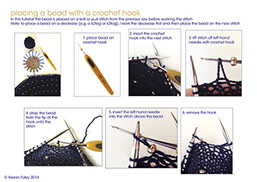
placing beads with a crochet hook

some tips for stranded knitting, trapping and weaving in CC yarn ends
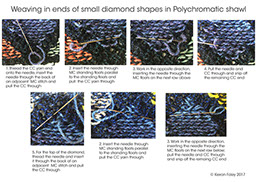
weaving in ends of small diamond shapes in Polychromatic shawl
A Note about ColorShift YarnA number of my patterns were originally knit with ColorShift Yarn gradations and colorbridges. Unfortunately, ColorShift is now discontinued. If you are looking for substitute yarns, ColorShift Yarn was described in the Etsy Store as a two-ply jumper weight (fingering) yarn milled from 23.5 micron superwash Merino wool that knits up at about 8 st/in on US1-2 needles (2.25-2.75mm). There is a Gorgeous Gradients group on Ravelry which might be a good starting point for substitute gradient yarns, and you can click on the “yarn ideas” tab at the top of each of the pattern pages on Ravelry to see what yarns have been used in Ravelry projects.
About the Patterns
I use the single cast on - there’s a video here.
For a loose cast off/bind off I change to a bigger needle.
The increases I use are M1R and M1L.
The technique is explained very clearly on KnittingHelp.com.
ktbl means knit through the back loop.
ptbl means purl through the back loop.
kfb means knit into the front and back of the stitch - increasing by one stitch.
I generally use sl1k1psso (slip1,knit1, pass slipped st over) for left leaning single decreases. You might prefer ssk (slip, slip, knit) or k2togtbl (knit 2 together through the back loop).
Trapping is used to hold in long floats on the back of stranding, or to hold intarsia colors in position where they change direction within a row. It can be worked in different ways depending on how you knit. For example on a RS row I generally lift the CC yarn outside and over the MC, and put back under the MC between the MC and the needle.
The stranded patterns can be used individually and in combination to create scarves, shawls, garments, patchworks, afghans, cushions, bags, socks, etc.
I have used plain yarns for clarity in the images, but you can also use variegated yarns or more creative color combinations. Techniques include stranded knitting and increasing and decreasing. Always strand the main color above the contrast color. Here’s a link to a helpful video about stranding.
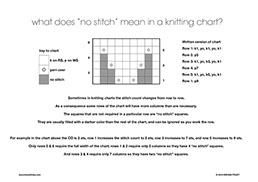
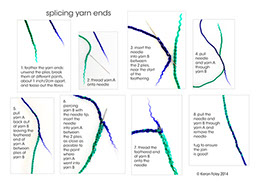
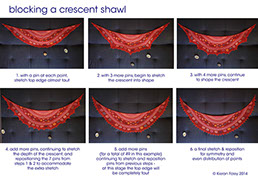
I have put together a number of photo tutorials which you might find helpful when knitting my patterns. These are listed to the right and can be downloaded by clicking on the images.
There is a knit/lab forum on Ravelry where you can ask questions about patterns and techniques.
Downloading Patterns
Immediately after you have successfully completed your PayPal payment, an email will be sent to your PayPal email address from downloads@ravelry.com containing a download link for the pattern. Clicking on the download link will take you to the Ravelry download page, from where you can download the pattern. To download the pattern, simply follow the instructions on the download page and save the file. In addition, if you are a Ravelry member, you will be given the option to add the pattern to your Ravelry library. If you are not a Ravelry member, or if your PayPal email address is not recognised by Ravelry as belonging to a member, you may be asked to input your email address so that Ravelry can locate the purchase.
You should also be automatically redirected from the PayPal Payment Confirmation page to the Ravelry download page. But do not worry if you are not redirected (this occasionally happens), since the download link will have already been emailed to your PayPal email address.
Should you lose the link to the download page or should you have any difficulty downloading the file, please immediately email knit/lab quoting your PayPal email address and the pattern will be emailed to you.
Do you use different email addresses for Ravelry and PayPal?
The email containing a download link for the pattern you have purchased will always be sent to your PayPal email address from downloads@ravelry.com. Please keep this in mind if you use different email addresses for PayPal and Ravelry.
Printing Patterns
The patterns are provided in pdf format and can be read and printed with a suitable pdf reader such as Adobe Reader, which can be downloaded for free here or by clicking on the Get Adobe Reader button at the bottom of this page.
Each pattern has a cover page with full color pictures, followed by the pattern itself (including instructions where relevant) on the subsequent page(s). All pages will print at good quality on any desktop printer in landscape orientation and using A4 or US Letter size paper. Should you wish to print onto smaller paper, select Page Scaling: Fit to Printable Area in the Adobe Reader Print dialog box.
Using PayPal
Payments are processed through PayPal. If you do not have a PayPal account, you do not need to sign up for one and you can still pay with a credit or debit card (Visa, MasterCard, American Express or Discover) via PayPal's secure interface. Immediately after you have successfully completed your PayPal payment, an email will be sent to your PayPal email address containing a download link for the pattern. Clicking on the download link will take you to the Ravelry download page, from where you can download the pattern. You should also be automatically redirected from the PayPal Payment Confirmation page to the Ravelry download page. But do not worry if you are not redirected (this occasionally happens), since the download link will have already been emailed to you.